Self-hosting is addictive—once you start, there’s no turning back. The more services you run, the more satisfying it gets.
But what does self-hosting mean? It means running applications created by others (or why not yourself as well) in your own environment (local or self managed cloud environment). Often, these are open-source projects developed by communities to meet personal needs. Applications range widely—from simple to-do lists to complex personal finance managers.
Here’s a great and comprehensive list of different self‑hosting projects: https://awesome-selfhosted.net/
You can find self-hosting related articles on my blog. I tag articles that cover this topic with tag: #self-hosting.
My own environment consists of three main components. The first is an enterprise-grade firewall and router solution, which allows me to securely isolate the services I run from the Internet. Since many of the services I operate contain personal data—such as all of my family’s photos—I want to ensure nothing leaks outside my environment.
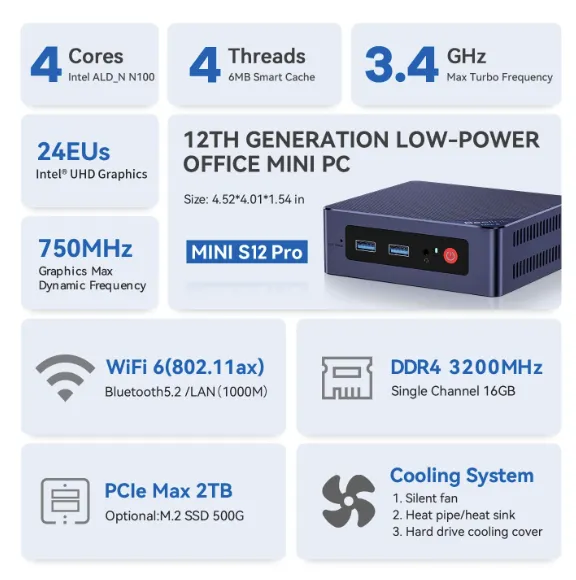
The second key component is a Beelink S12 pro Linux server, where I run most of my applications. For simplicity, I prefer using containerization to manage application environments. I chose this machine because of its processor. The N100 is powerful enough for my needs while consuming very little power. The Beelink machine also has more than enough memory for my needs (16 GB). This memory is more than sufficient for the roughly 30 applications I maintain in my server.
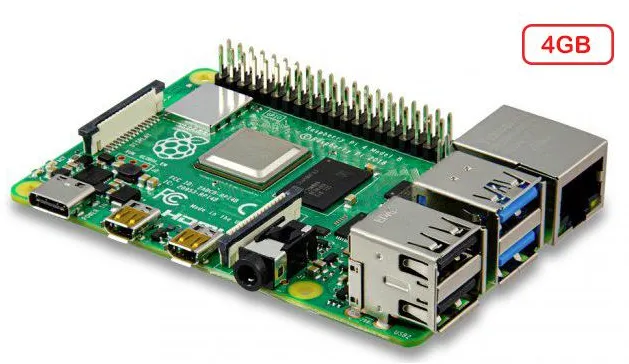
The third main component is Home Assistant, my home automation system, which runs on a Raspberry Pi 4.