Personal dashboard
The idea of a dashboard application is to gather all the information of interest to the user on a single page. The dashboard should also be fast in its implementation, so that it can, for example, be set as the browser’s homepage, opening automatically whenever the browser is launched.
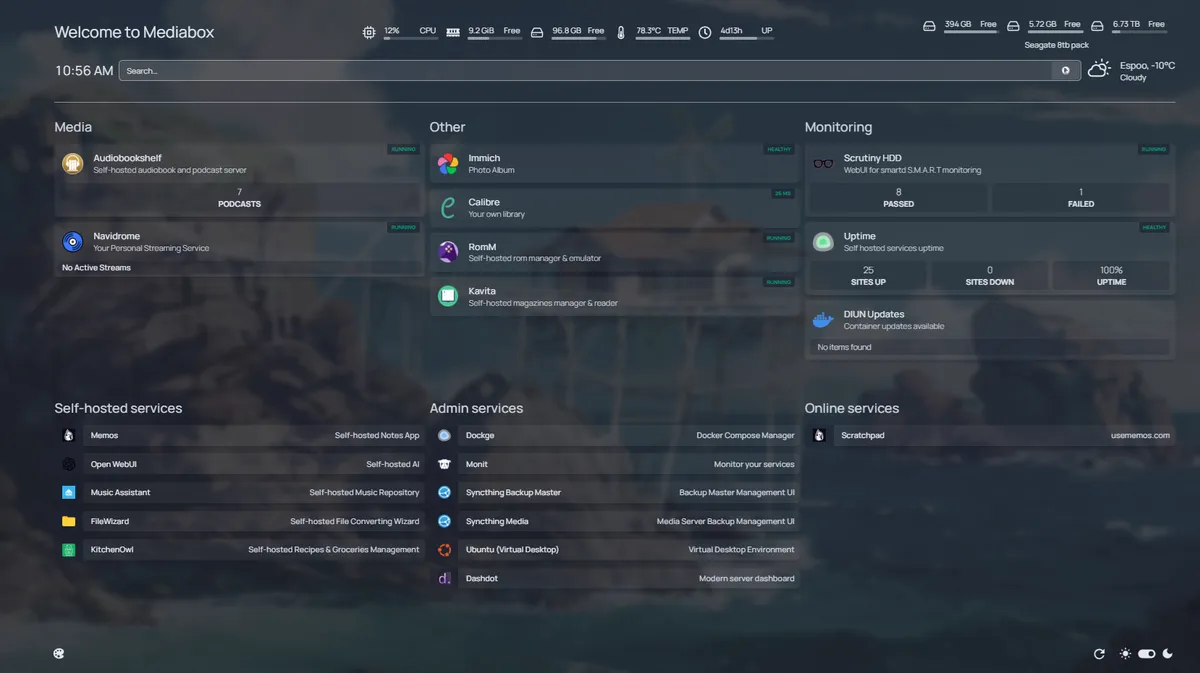
Currently, I have two different dashboard applications running: Homepage (https://github.com/gethomepage/homepage) and Glance (https://github.com/glanceapp/glance). Both offer widgets and ready-made integrations with several well-known services, allowing key information about the services and their contents to be displayed.
Homepage:
 Glance:
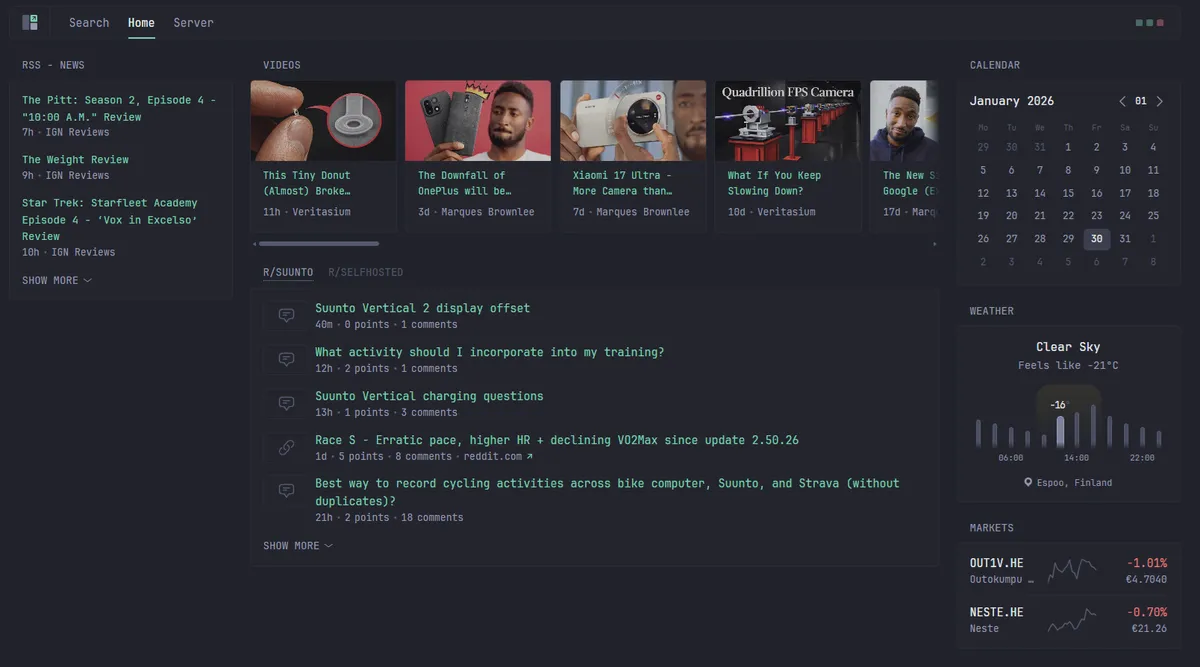
Homepage is a considerably more straightforward dashboard, where all information is gathered on a single page, whereas Glance allows the creation of multiple separate pages. I myself have not yet been able to decide which approach I prefer.
Currently, Homepage offers a slightly more comprehensive selection of widgets, but Glance also has extensive support for widgets. Both projects have a large community behind them that develops so-called community-driven widgets.
Both dashboards are configured via YAML configuration files. YAML has become the most common type of configuration file nowadays, being significantly lighter than XML or even JSON. I personally prefer configuration files over configuring through a user interface. When using a file, it is always easy to track changes and save the previous configuration before making any modifications.
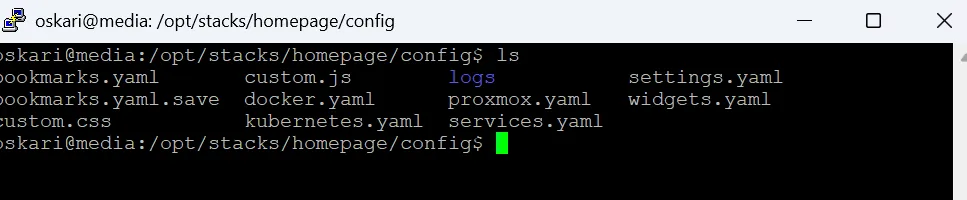
Homepage configuration files:
Glance configuration files:
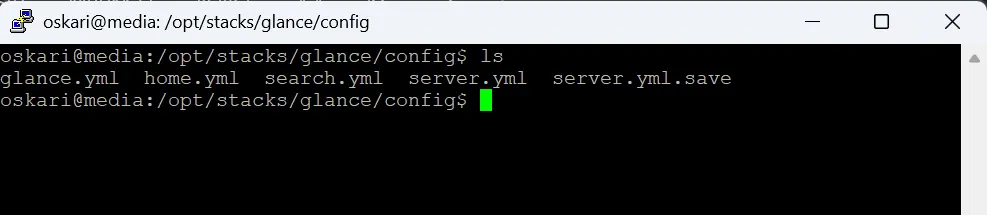
Both projects have separated the configurations for different sections into their own files, as they should. This makes configuration easier, since the files are not thousands of lines long. It’s clear that the developers of these projects know what they’re doing.
I run both dashboard applications in Docker containers. I personally like the Docker Compose tool, which allows you to define a configuration in a file that the Docker runtime uses to set up the container environment."
Docker-compose file for Glance:
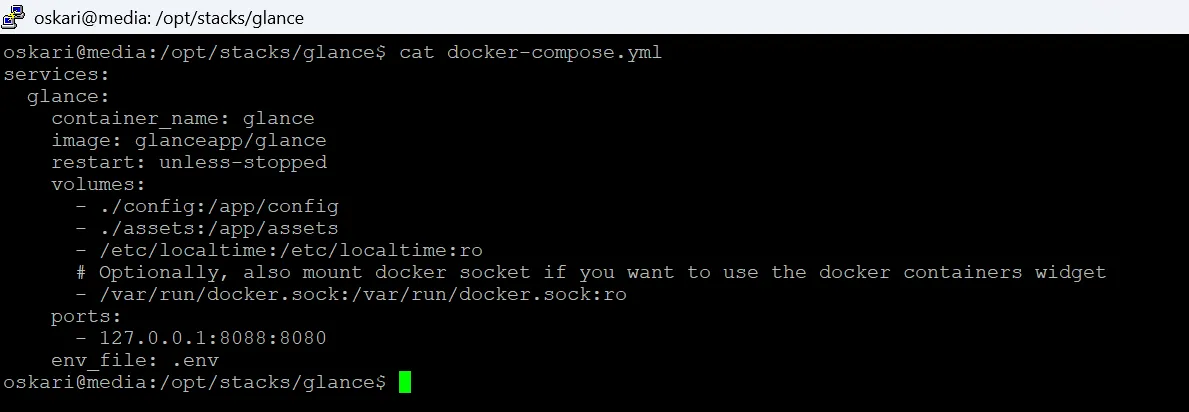
In order to access a Docker container, port forwarding must be set up by opening a specific port on the host machine and telling Docker which port in the container to route the traffic to. By default, the host’s port is published to 0.0.0.0, meaning it is accessible from all devices on the same network. I always restrict the container to 127.0.0.1, so it can only be accessed from the host machine itself. In front of all my containers, I run a reverse proxy, which is responsible for handling requests coming from outside the host—other devices on the home network—and routing them to the correct port on the host, where Docker passes them to the service inside the container. This setup is intended to prevent so-called horizontal traffic within the network.