Network level adblock
In my article, I do not take a position on the principled question of whether ad blocking is acceptable or not. I leave this consideration to each individual. I approach the topic from a technical perspective, as I find it very interesting and at the same time eye-opening. At least, it was so for me.
So, how can ad blocking be implemented at the network level rather than through software installed on each individual device? By using your own DNS server, more precisely, a DNS sinkhole. For this purpose, there is a dedicated application called Pi-hole. Pi-hole can be installed on several different devices or run as a containerized Docker application.
Pi-hole operates as a DNS server, that is, a device that translates a website’s name into an IP address. In each network, a DNS server is always defined and used by the devices registered on that network. This setting is configured on the router by specifying the IP address of the Pi-hole device as the network’s DNS server. Pi-hole contains a community-maintained list of known advertising and tracking domains. When a website is opened in the browser, the end user device, under the hood, sends a query to the DNS server in the network to find out where the site is located (IP address). Pi-hole compares each DNS request against its own database and, if a match is found, returns a dummy IP address to the browser instead of the real one.
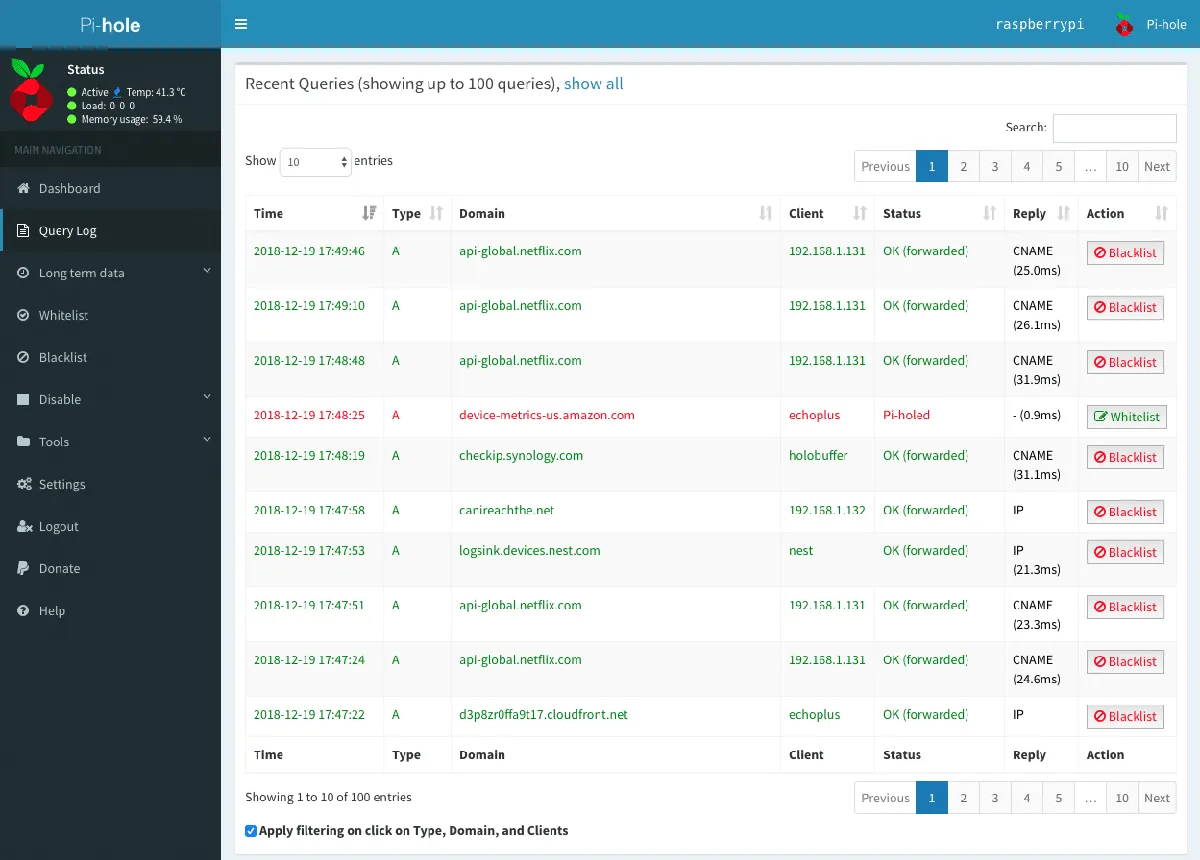
Pi-hole not only blocks unwanted DNS queries, but also logs all queries. This provides a thorough view of all the destinations that devices connected to your network are communicating with. You might be surprised!
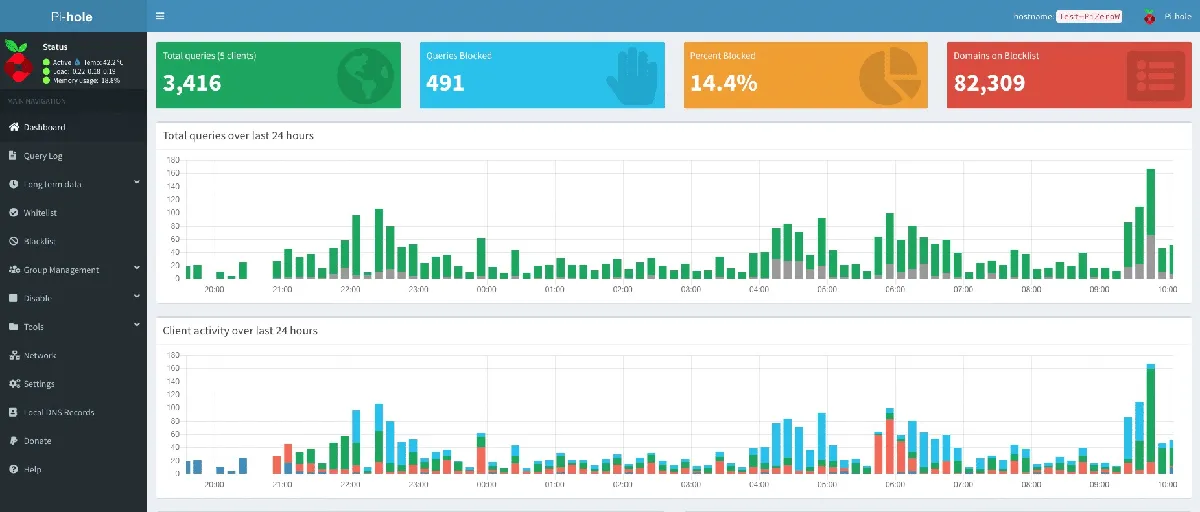
You can view the queries and block them individually. However, blocking often may lead to unintended consequences. Many devices might stop functioning if certain query is blocked. Of course, Pi-hole does not show the content of the payload in the requests, only the addresses that it tries to resolve to IPs based on their names. Often, services are named in a way that allows you to make an educated guess, based on the name, whether they are related to tracking, advertising, or something else.
A third use case for Pi-hole is, of course, as a traditional internal network name server, allowing you to assign names to devices on your internal network that are recognized by all devices connected to the network.
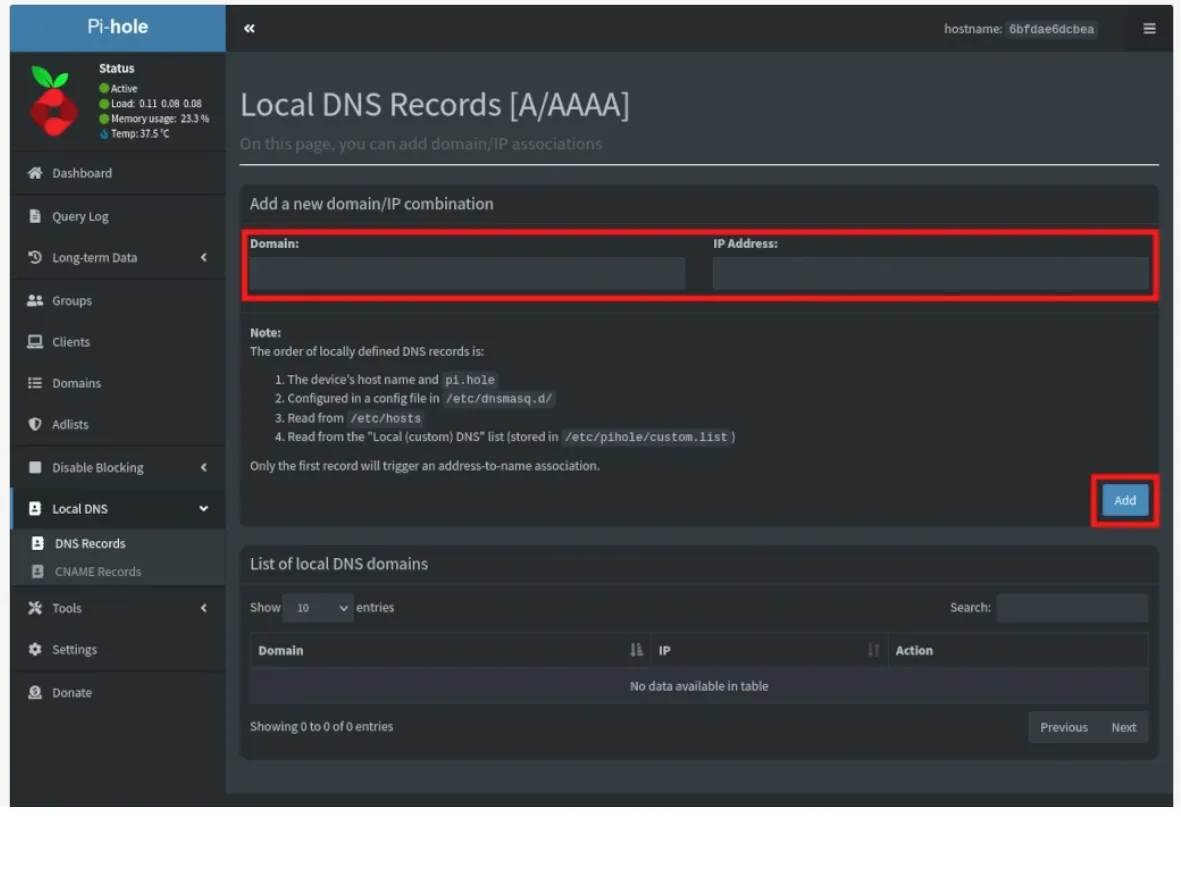
If you have many services running on different devices in your internal network, you don’t want to configure their IP addresses all over the place. You can assign a name to each device and use that instead. If a device’s IP address changes for any reason, you only need to update it in one place—on the Pi-hole.
I stopped using Pi-hole about a year ago, not because there was anything wrong with it. I bought a new home network router that had the same functionalities built in, so I no longer needed Pi-hole.