Keep yourself updated!
It is important to me that my devices stay up to date with updates.
I have automated security updates on Ubuntu by using the unattended-upgrades service, which can be installed from Ubuntu’s official package repository. These updates are the kind that do not require any user intervention.
The unattended-upgrades service uses configuration files, which allow you to define, for example, how often updates are applied and which updates are included in the service.
The update cycle can be set in the configuration file: /etc/apt/apt.conf.d/20auto-upgrades
The scope of packages to be updated can be configured in: /etc/apt/apt.conf.d/50unattended-upgrades
By default, the service only applies security updates, but if desired, you can also automate updates for all packages. However, this can have undesirable effects on the behavior of the server, so I prefer to run these manually.
Unattended-upgrades also allows the server to automatically reboot at a specified time if an update requires it. For example, this is often necessary when applying a kernel update.
This way, I ensure that security is always up to date. I update other Linux packages regularly, but manually. But what about applications running in Docker containers? Neither unattended-upgrades nor Ubuntu’s Aptitude (Aptitude is a package manager for Ubuntu that provides a high-level interface to manage software packages, allowing users to install, upgrade, and remove packages easily.) are aware of them.
For containers, I use the excellent open-source, community-developed DIUN software. DIUN (Docker Image Update Notifier) is a CLI application written in Go and delivered as a single executable (and a Docker image) to receive notifications when a Docker image is updated on a Docker registry. DIUN has also gained more attention recently, after another similar but older project, Watchtower, was discontinued.
DIUN notifies me whenever an update is available for any of the applications I’m running. You can choose how DIUN identifies the containers you are running. It can do this automatically for you, or you can specify exactly which containers you want to monitor. This can be done by setting the tag diun.enable = true in the container you want DIUN to track.
DIUN does not try to update containers by it self. Automatic updates for containers may sound like a good idea at first, but often they are not. You would rather make updating as easy as possible, while still starting it yourself exactly when you want. During an update, something might break, and you probably want to have the time at that moment to either roll back to the previous version or fix any issues in the new version.

Since I run Docker containers using Docker Compose, I can update individual applications with the docker compose pull and docker compose up -d commands. However, this requires an SSH connection to the server’s terminal, so I use another open-source application, Dockge, for updates.
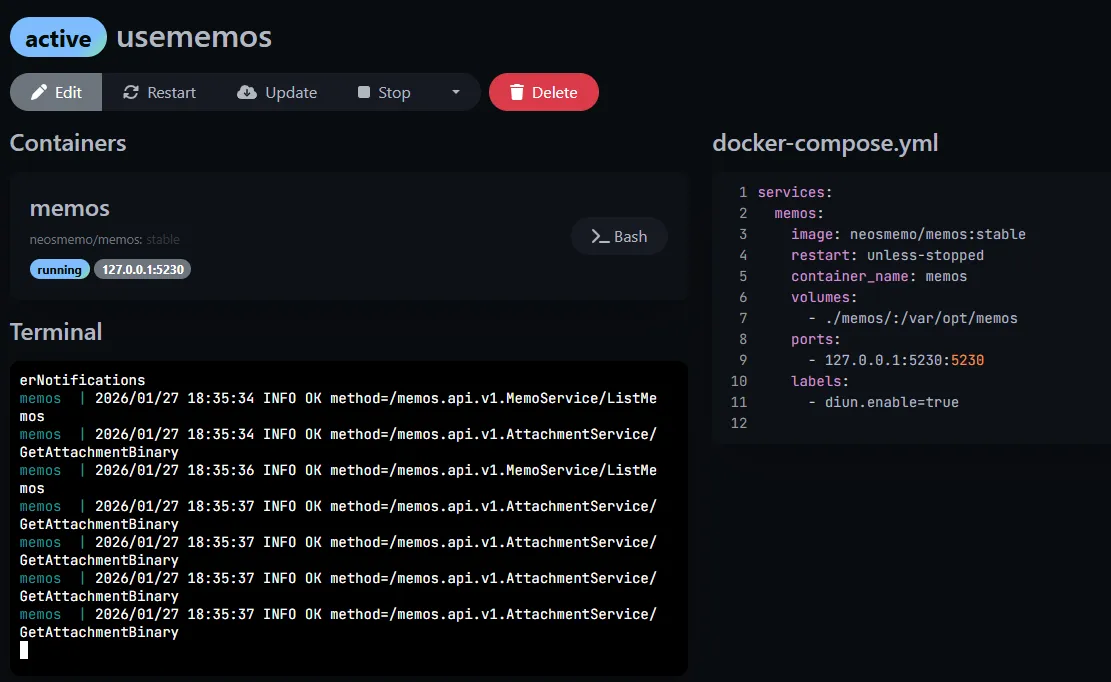
This is how I handle updates; it is important to me that the process is as easy as possible. Designing and implementing this setup did take some time, but it has certainly already paid off many times over.