Home Assistant & IKEA’s New Smart Home Lineup
IKEA’s new smart home system is based on the Matter over Thread standard.
Matter is an interoperability standard designed to abstract away the underlying communication technologies (such as Zigbee, Wi-Fi, Bluetooth, and Thread). Matter enables smart home devices to be integrated into a home automation system. With Matter, you’re not locked into manufacturer’s ecosystem.
Thread is the actual networking protocol used by devices for communication. It is based on IPv6 technology. Thread has very low power consumption, making it well suited for battery-powered sensors.
Home Assistant and Matter over Thread. Matter over Thread consists of at least following components: a Matter Controller, a Thread Border Router, and a Matter Device. Following is covered in detail in the Home Assistant Matter documentation
A Matter Controller is a Matter device that also acts as a bridge between your local network and the wider internet, enabling remote access to your Matter devices. In Home Assistant, there is an add-on called Matter that adds Matter Controller functionality to your Home Assistant environment.
Another key component is the Thread Border Router. It is the component that creates the actual Thread network in your environment and is connected to your Matter Controller. If you already have smart home devices in your home, you might already have a Thread Border Router (and Matter Controller). For example, the Google Nest (2nd generation), IKEA’s DIRIGERA hub, and the latest Amazon Echo devices all include bundles Matter Controller, Thread Border Router and Thread antenna as a single device.
I didn’t have any device that could function as a Thread Border Router myself, so I ended up installing Google’s open-source Open Thread Border Router, which is available as a ready-made add-on for Home Assistant. (IKEA’s DIRIGERA is based on the same software.)
In order for the Open Thread Border Router to create a Thread network, it requires a separate radio. Home Assistant has produced exactly such a radio/antenna called the Connect ZBT-2. It works plug-and-play with Home Assistant. Home Assistant automatically detects the integration and prompts you to add it to your environment.
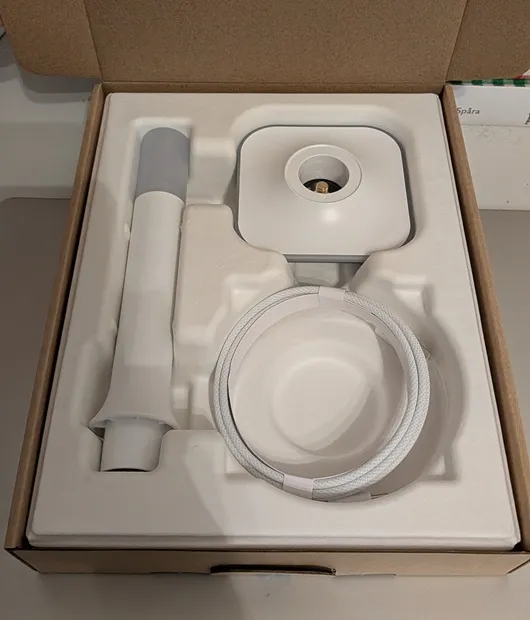
Apparently, the placement of the antenna is important, as the original location on top of the Wi-Fi router was not ideal—IKEAs sensors could not connect to the Thread network.
I had previously purchased three smart home sensors from IKEA: an air quality and temperature sensor, a water leak detector, and a door sensor. The door sensor indicates whether the door is open or closed.
Adding the sensors to my Home Assistant was also very straightforward. This was done through the Home Assistant mobile app by scanning the QR code on the sensor. After that, the phone exchanged the necessary credentials with the device, allowing it to connect to the Thread network.
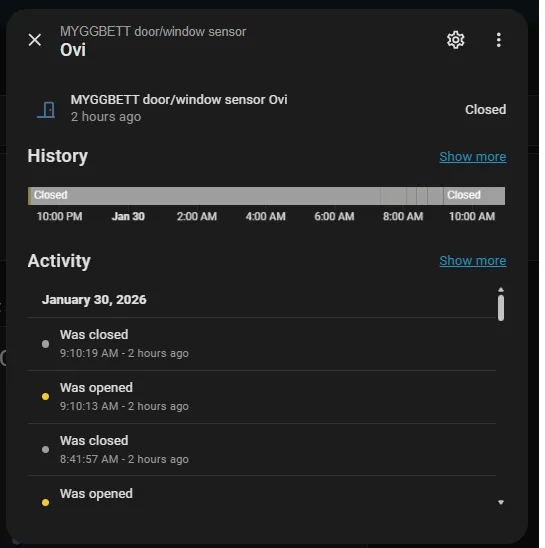
I used this sensor data for my first real home automation. My child is old enough to walk to and from school independently. Now, Home Assistant sends a notification to my phone whenever the door is opened during a specific time window in the morning and afternoon, while I’m not at home. If I don’t receive this alert on my phone, I know to call my child and remind her to leave for school.
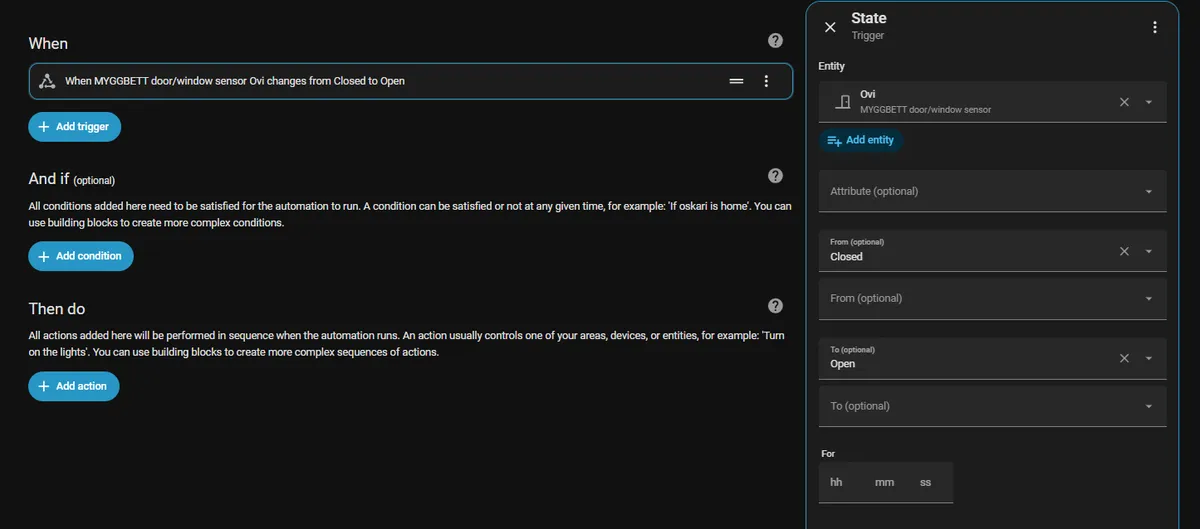
Adding new automations in Home Assistant has been made very easy for users. You select one or more sensors, specify which data to monitor, and optionally add conditions that must also be met. Finally, you define what should happen when all the conditions are satisfied.
At the same time, I also added another automation that notifies me if the front door has been left open for more than five minutes.